Coze Workflow: Input to URL
If you have Coze VIP, you can download and import the workflow directly
https://wwaod.lanzn.com/b011lwl8ij Password: 3qnp
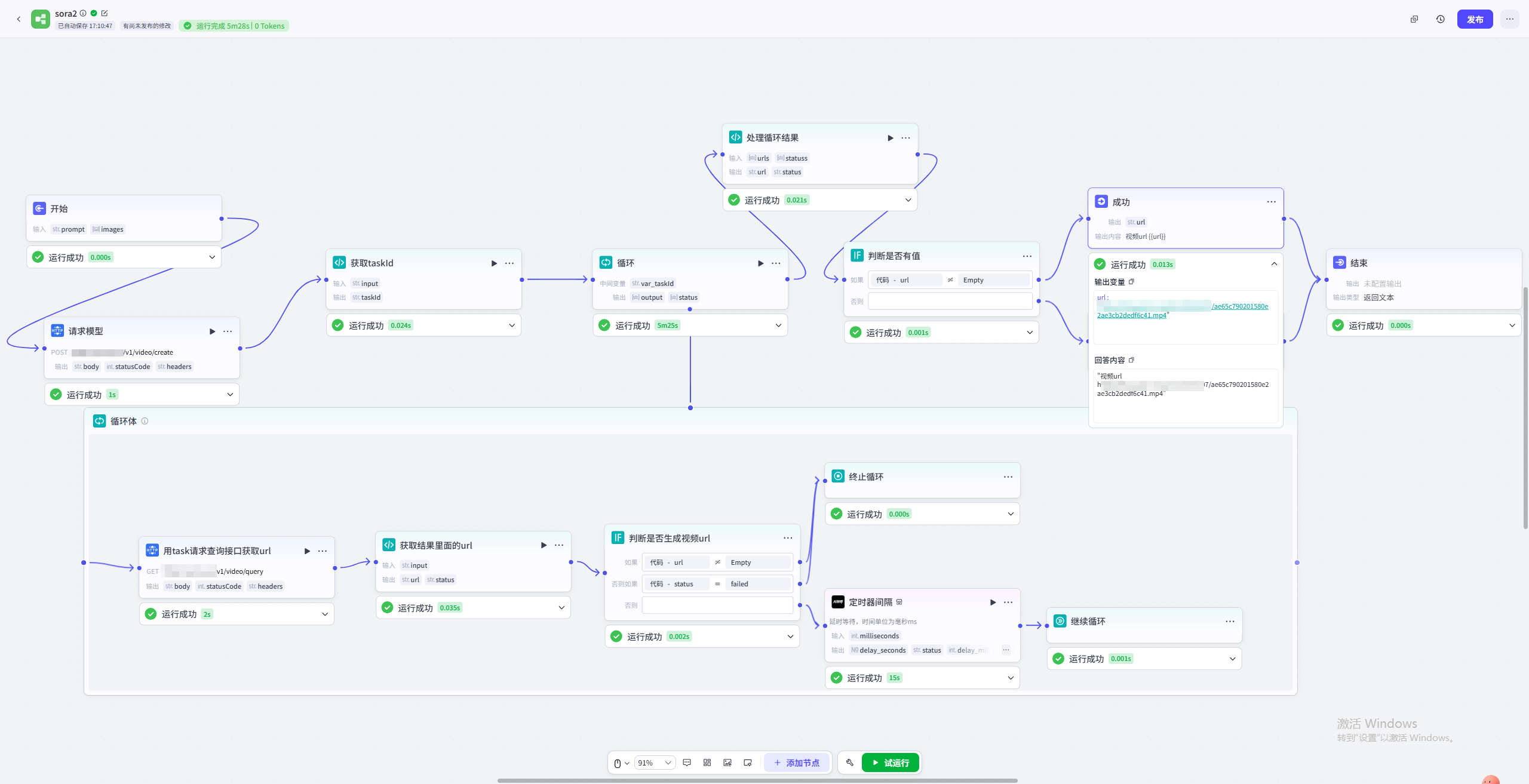
Simple loop workflow (Sora2 example): text + image input to final URL (overview below)
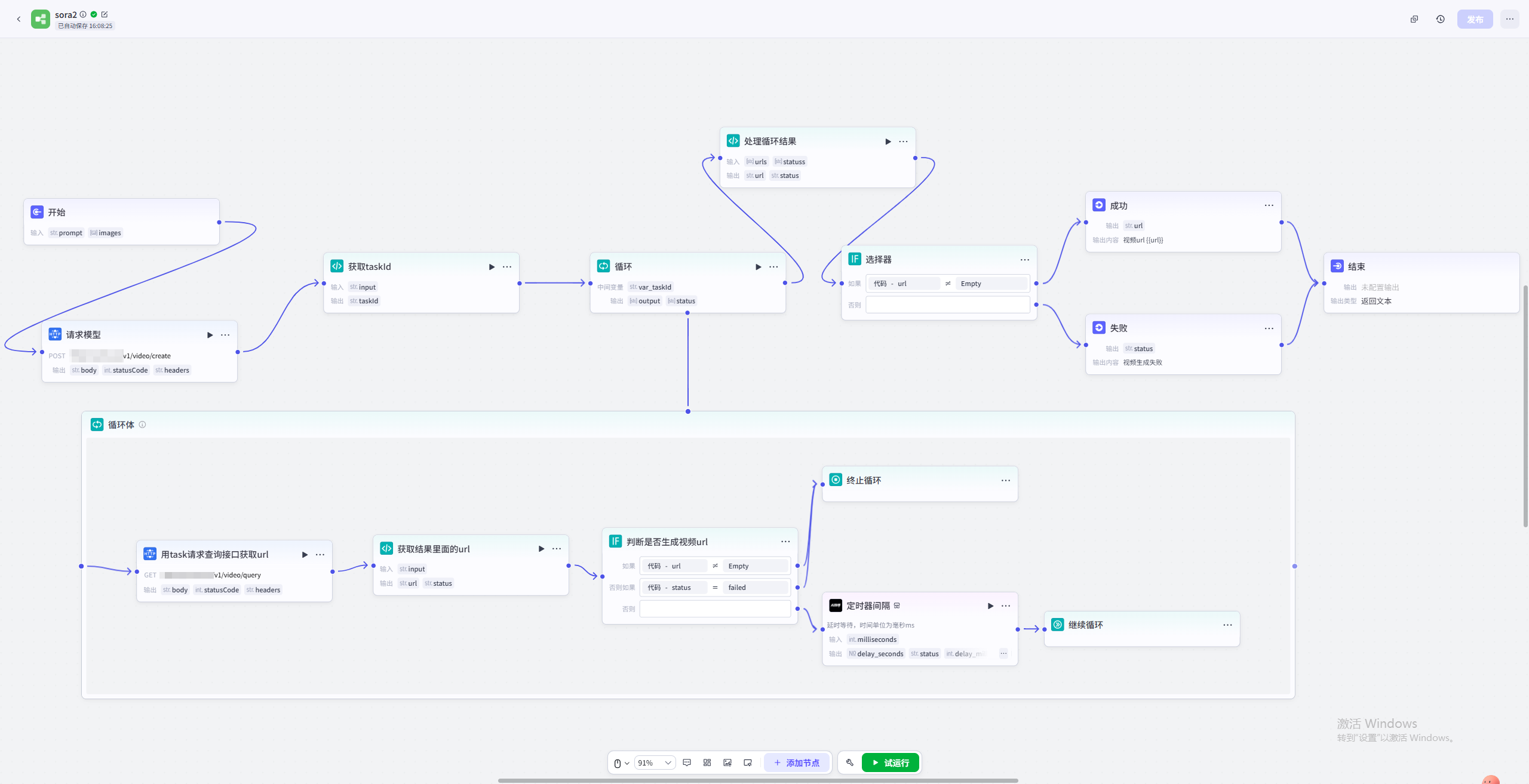
1. Start
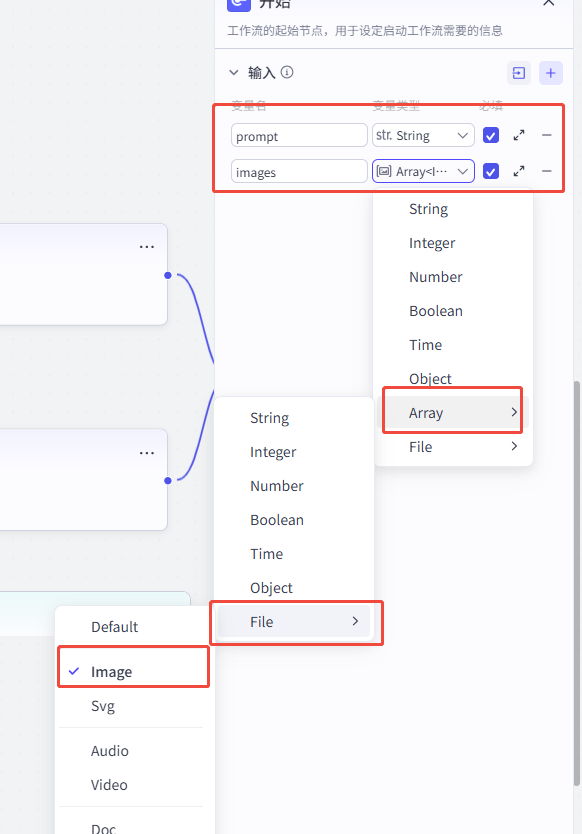
Add input variables for prompt and image based on the API parameters. Add more inputs if needed.
2. Call the model (add an HTTP node)
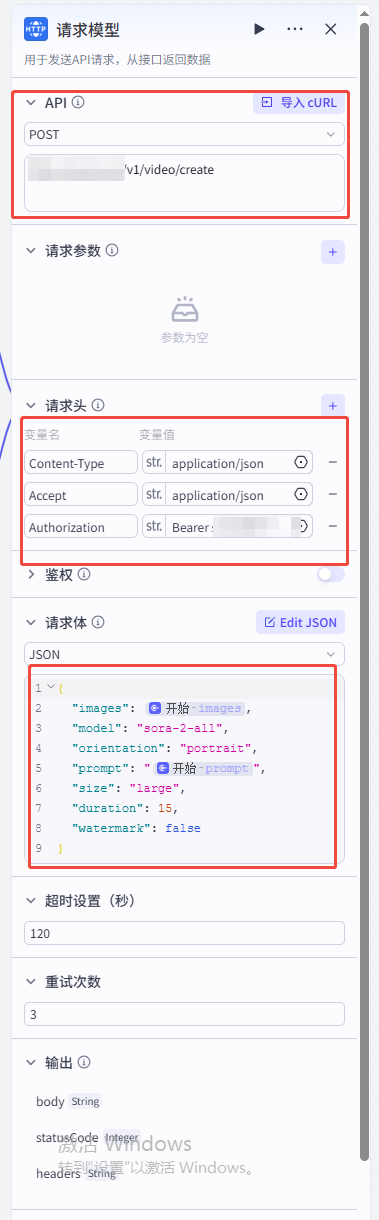
Configure the HTTP request from the docs:
- First red box: method and URL
- Second red box: headers
- Third: body. Pick the format from the docs (JSON in this example). Fields marked "Start" come from earlier inputs; type
{}while editing to pick them.
3. Parse the response for taskId (add a Code node)
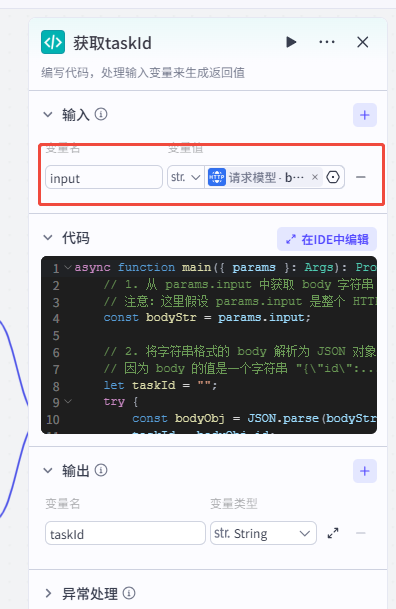
As shown, bind the previous HTTP body as the input variable.
Parse the body to get id (JavaScript in this example):
async function main({ params }: Args): Promise<Output> {
    // 1. Read body string from params.input
    // Assume params.input is the full HTTP response body
    const bodyStr = params.input;

    // 2. Parse JSON body string "{\"id\":...}"
    let taskId = "";
    try {
        const bodyObj = JSON.parse(bodyStr);
        taskId = bodyObj.id;
    } catch (e) {
        // Avoid crashing on parse failure
        console.log("JSON parse failed:", e);
    }

    // 3. Return taskId
    const ret = {
        "taskId": taskId
    };

    return ret;
}
Output variable names must match the keys in ret.
4. Loop the query API until you get a URL (add a Loop node)
1. Configure the loop (this example uses an infinite loop with break conditions)
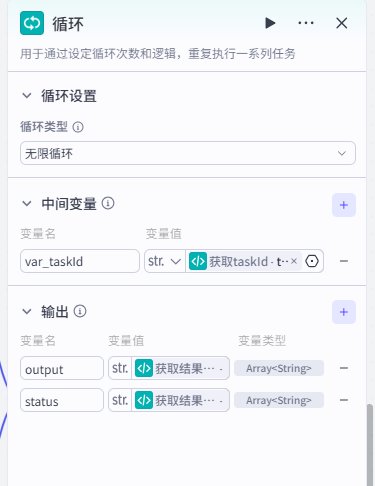
Intermediate variable: taskId from the previous code node.
Outputs: URL and status.
2. Inside the loop, add an HTTP node to query the task
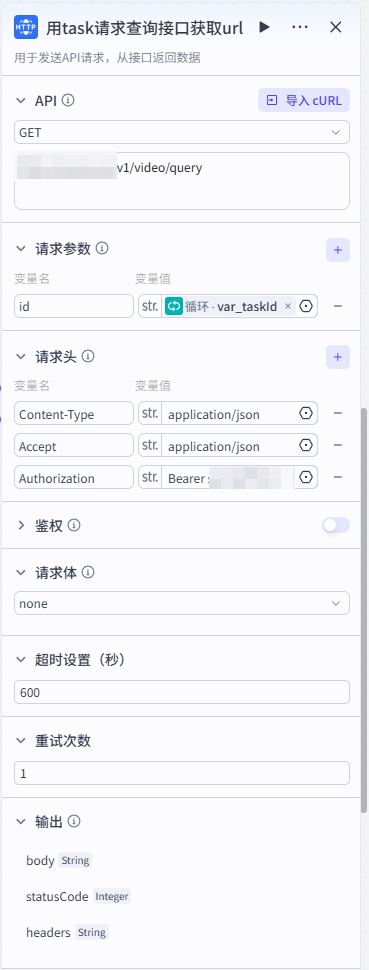
Body parameters follow the model's query-task docs.
3. Add a Code node to read URL and status
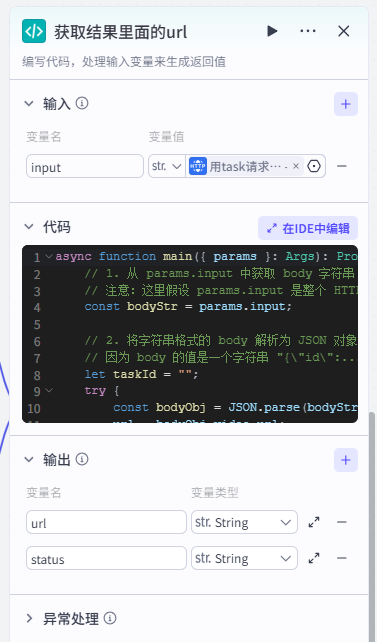
Input is the query response body:
async function main({ params }: Args): Promise<Output> {
    // 1. Read body string from params.input
    const bodyStr = params.input;

    // 2. Parse JSON
    let url = "";
    let status = "";
    try {
        const bodyObj = JSON.parse(bodyStr);
        url = bodyObj.video_url;
        status = bodyObj.status;
    } catch (e) {
        // Avoid crashing on parse failure
        console.log("JSON parse failed:", e);
    }

    // 3. Return url + status
    const ret = {
        "url": url,
        "status": status
    };

    return ret;
}
4. Add an If node to decide whether the query got a URL
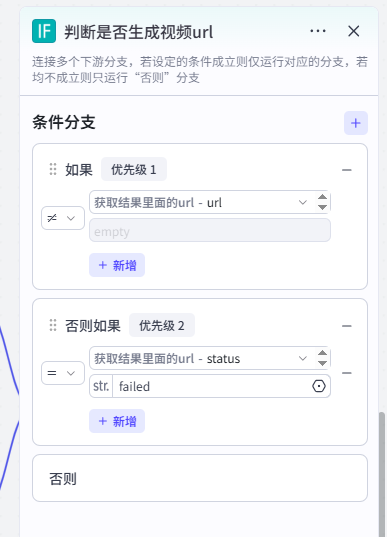
Branch 1: previous code node's url is empty or not.
Branch 2: status is failed.
5. Act on the If result
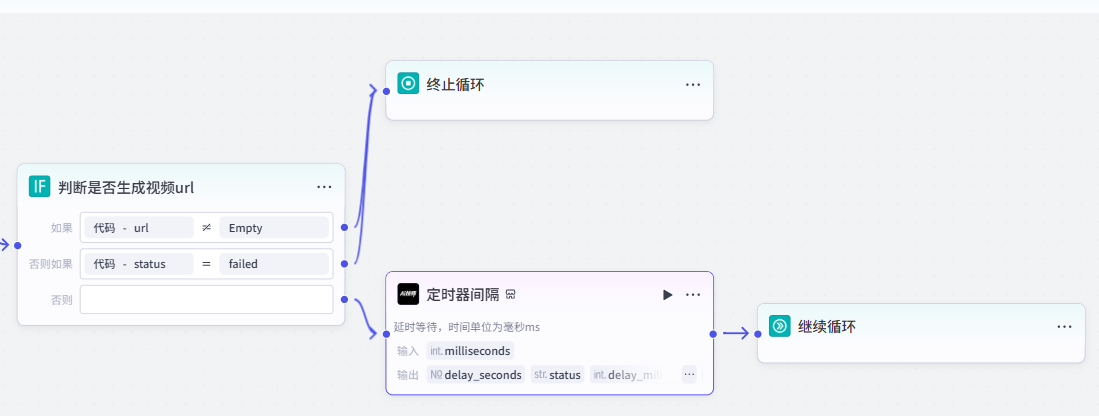
Add a Break loop node when either success branch hits. Add a Wait then Continue loop when both checks are false (avoid request storms; ~1500ms is a good wait).
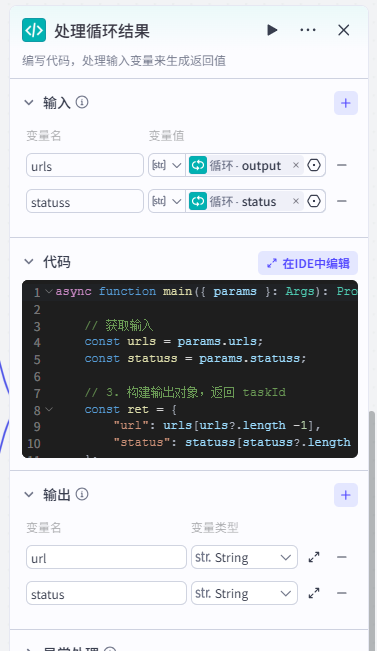
5. Process loop output (add a Code node)
Loop output is an array; keep only the last values:
async function main({ params }: Args): Promise<Output> {

    // Inputs
    const urls = params.urls;
    const statuss = params.statuss;

    // Return last url/status
    const ret = {
        "url": urls[urls?.length -1],
        "status": statuss[statuss?.length -1]
    };

    return ret;
}
Outputs: processed URL and status
6. Decide success/failure from whether URL has a value
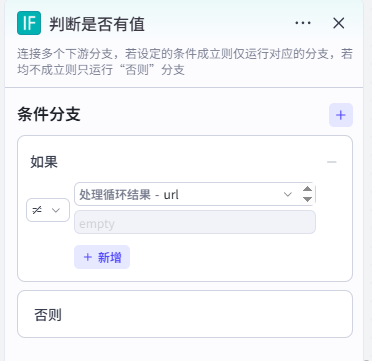
7. Final output
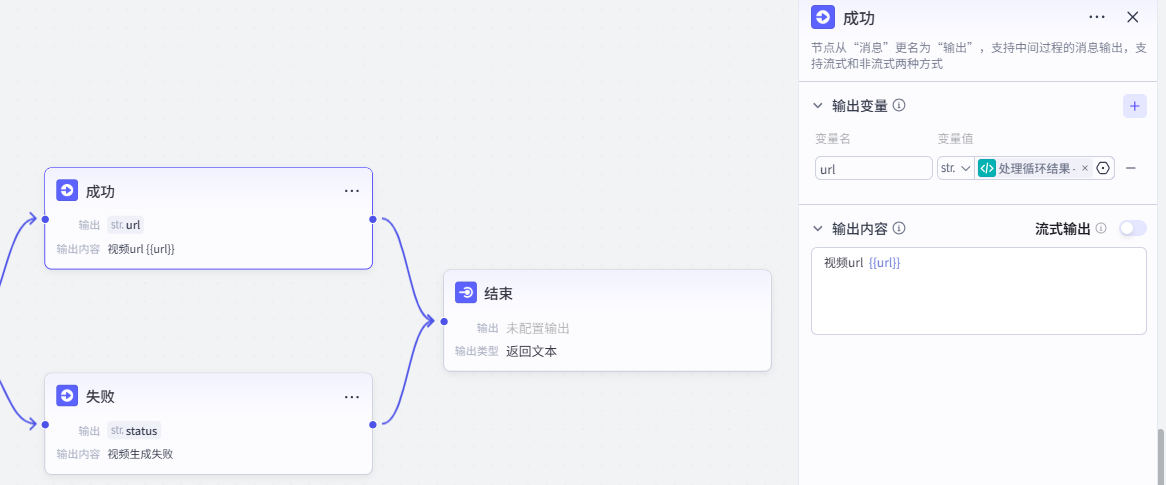
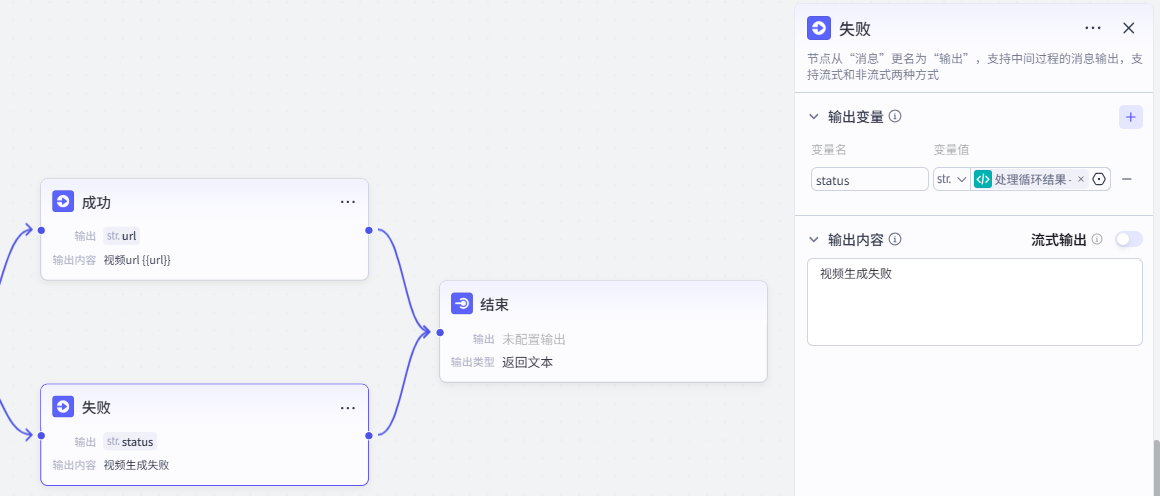
Emit success/failure text or variables as needed; you can also output on an End node.
8. Result demo